

Welcome to the second installment of my social profile system :
The Facebook Page Setup Guide.
If you missed part one, the overview of the system, here’s the link to access it: The Social Profits Learning System.
Now, let’s continue with part 2…
The Facebook Page Setup Guide
Facebook pages have taken a big hit when it comes to using them to get traffic. No matter if you have 100 likes/followers or 100,000 getting your posts in front of people who have liked your page and/or started following you can be hard.
The biggest reason is that Facebook wants you to PAY for your people to see the posts you make on your page. While that doesn’t seem fair because we all work hard for those likes/followers it doesn’t mean the party is over. You can still use that Facebook page and you still SHOULD be using it.
Even if you don’t want to “pay to play” right now, you might want to in the future and having your Facebook page setup strategically and with good content on it can give you a huge advantage when using paid advertising and/or getting more engagement if you’re just trying to get your followers to see your posts.
Plus, you still CAN use them to get traffic!
Before you get started, make sure you KNOW what you want to get traffic to. Personally, I want to get traffic to my squeeze page where I’m building my list for the Make Money Online niche. I want as many online marketers as I can get on my list. I’ll use the page to get traffic to my products, services, and affiliate links too, but my main goal is to get people from Facebook to my squeeze page.
Here’s a complete step-by-step tutorial on creating your Facebook page in the most strategic way so that you can actually use it to get some traffic!
First, head over to the page creation page on Facebook at https://www.facebook.com/pages
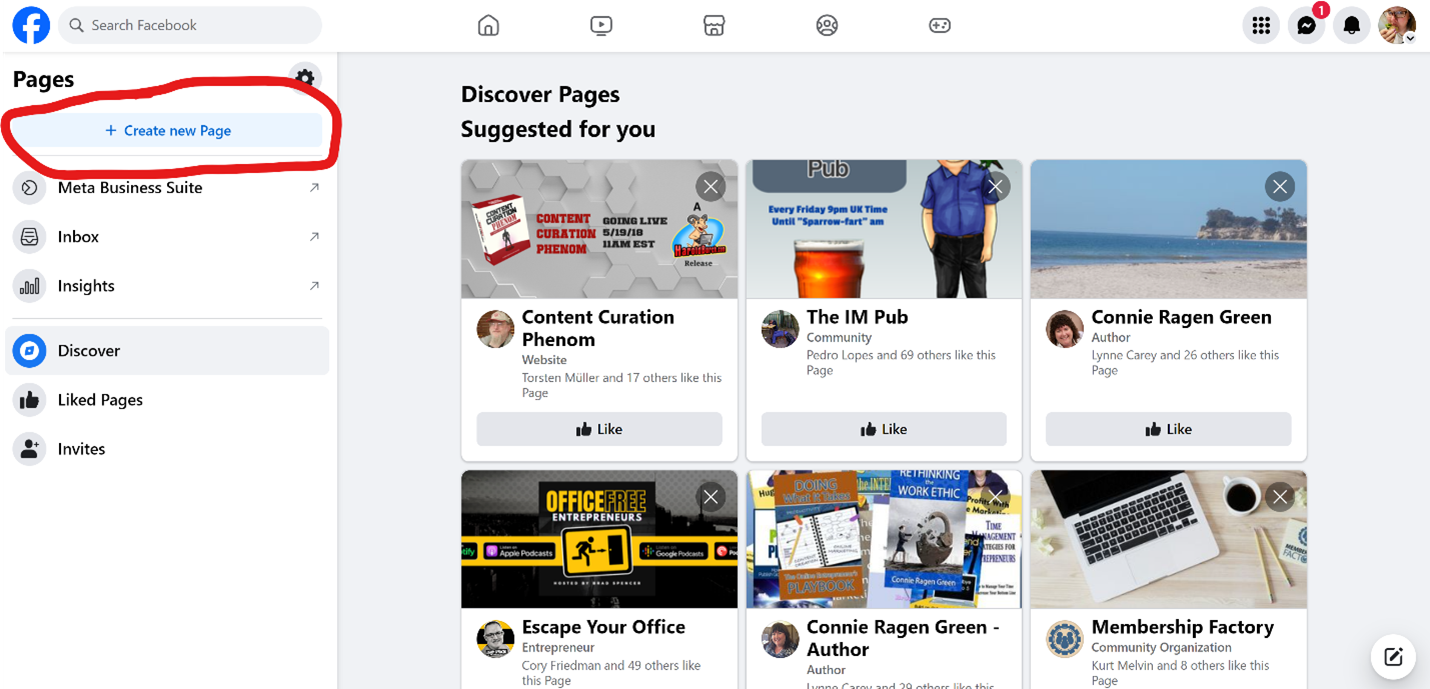
Click on the Create New Page button…
Fill in the information they ask you for and then click Create Page.
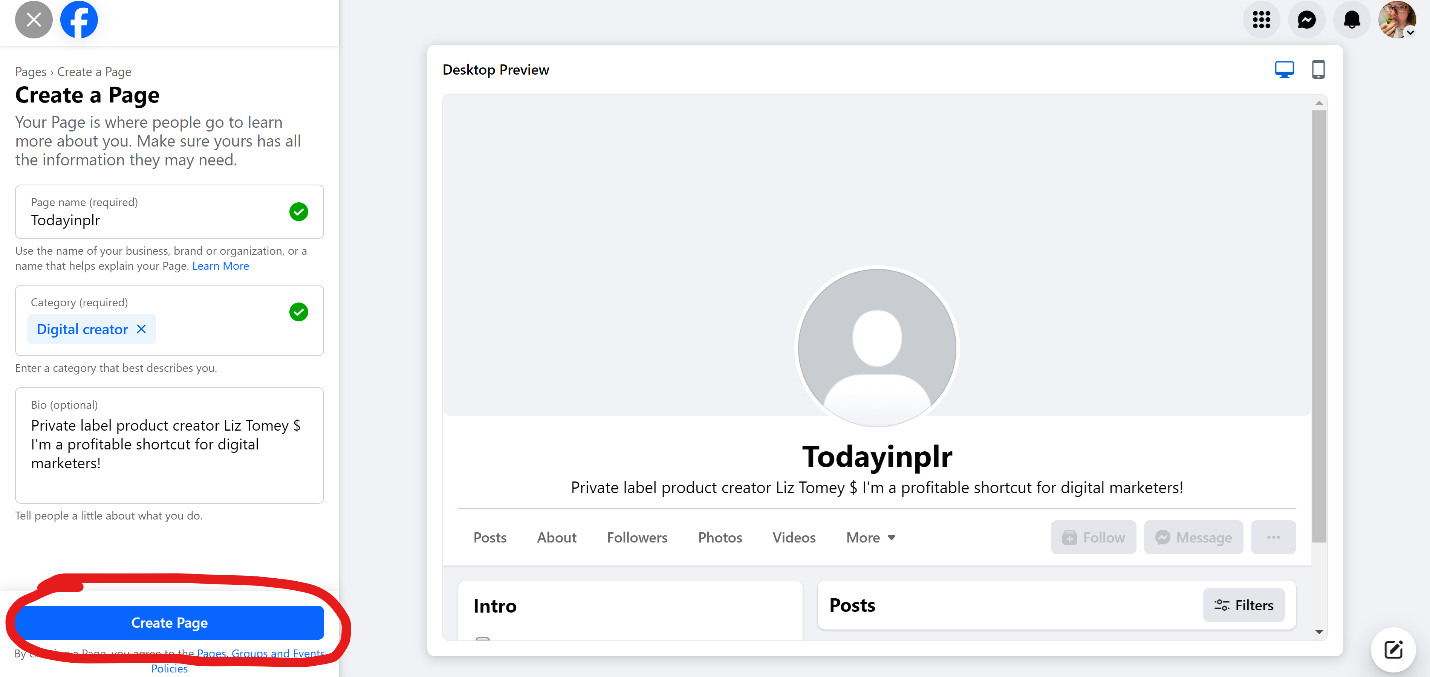
Tip 1: If you don’t have a page for your name, I recommend you use your name. In this example, I’m creating a page for one of my brands. I already have one for my name.
Tip 2: Make sure you create a catchy bio that actually catches people’s attention and is the biggest benefit of following your page.
On the next page, you’ll be asked for your website information and contact information.
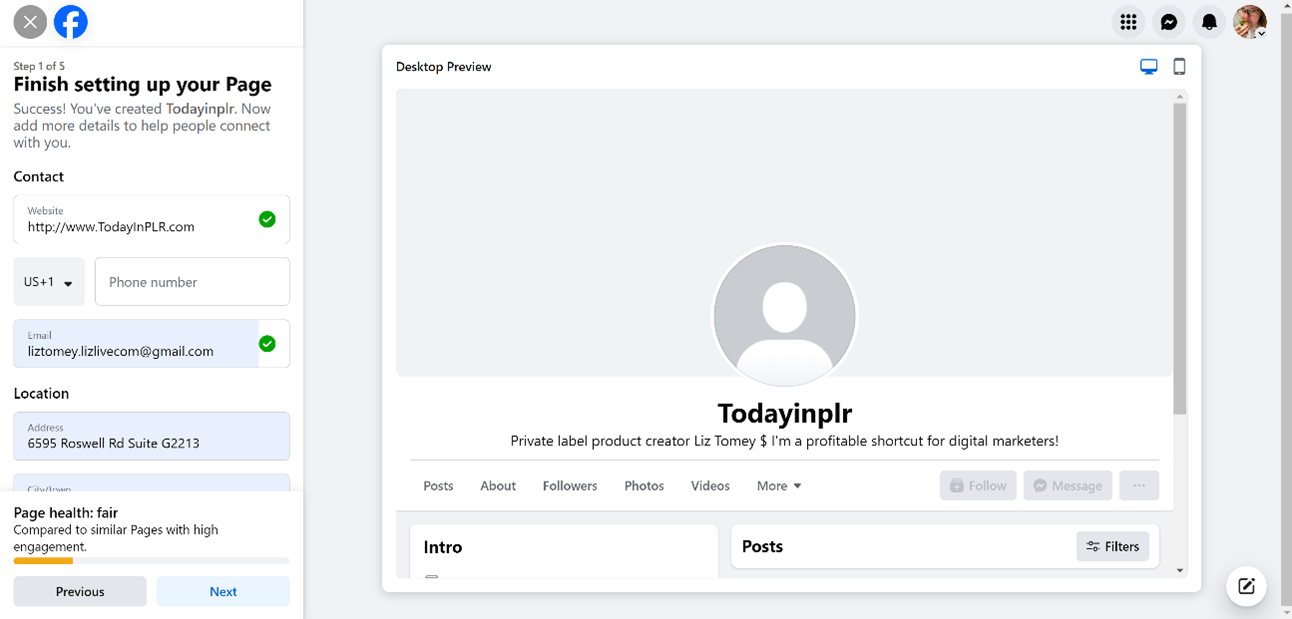
Enter that information and then click next.
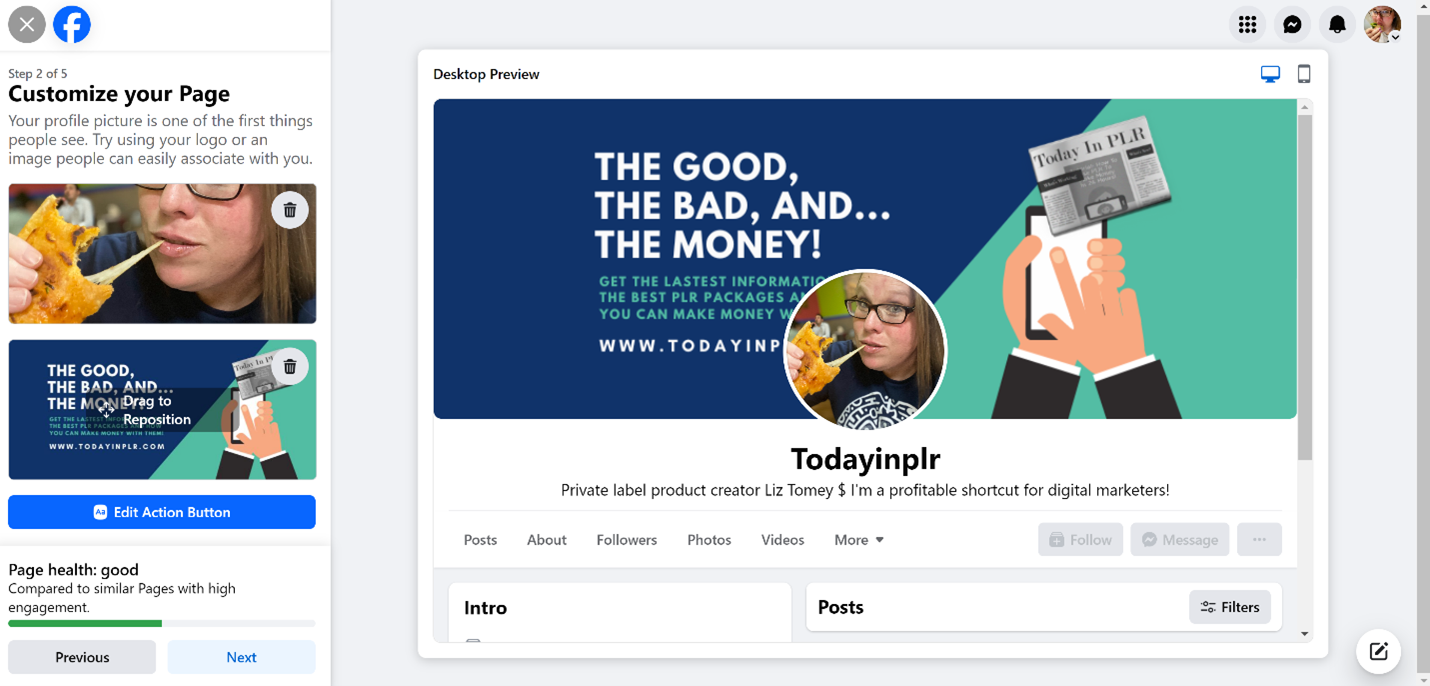
On this page you will upload your profile picture, your Facebook page cover photo, and set your action button.
I use the same profile photo for all of my social profiles and recommend that you do the same thing. If you are in the Make Money Online niche, I recommend you use a professional looking profile photo.
My cover photo was designed using Canva and I have my website URL on it. I recommend you create a cover photo that represents YOUR business.
You can edit this as many times as you want. Just create something that will work well for now. As you get better you can create better designs and/or hire someone to create your cover photo for you. This is important so do your best here.
For my action button, I selected “Sign up” and linked to my page where I get people on my list. I try to get ALL traffic from social media on my list. That way I can email them whenever I want. I recommend that you do the same thing!
Once you’ve done all of this click next!
Side Note: All of this information can be edited, so don’t freak out if you mess up.
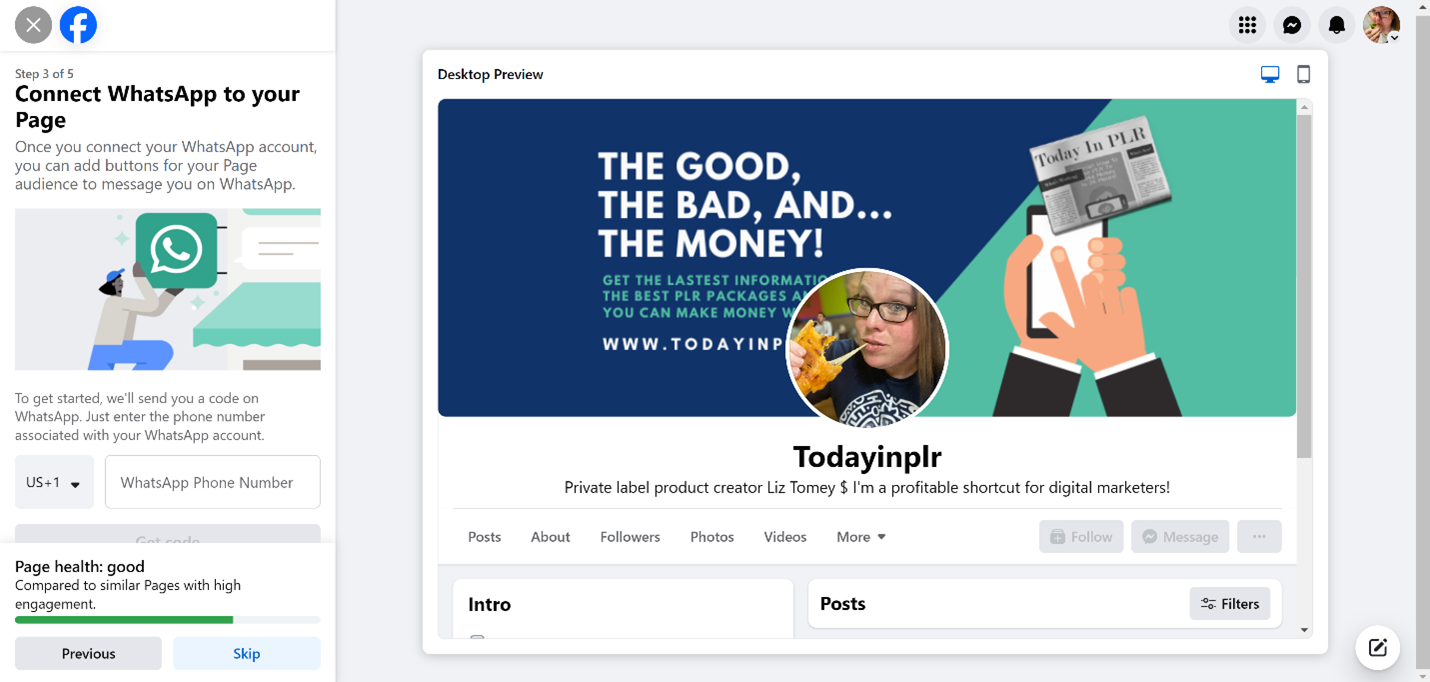
On the next page, they are going to ask you to connect your page to WhatsApp. If you want to do that, go for it… if you don’t use WhatsApp for business, skip this step. However, I do suggest you look into it.
And now we’re at the Invite Friends page. I recommend you hold off on this until you get some content on your page. No one wants to follow a page with no content, so this is better used when you have some content on your page.
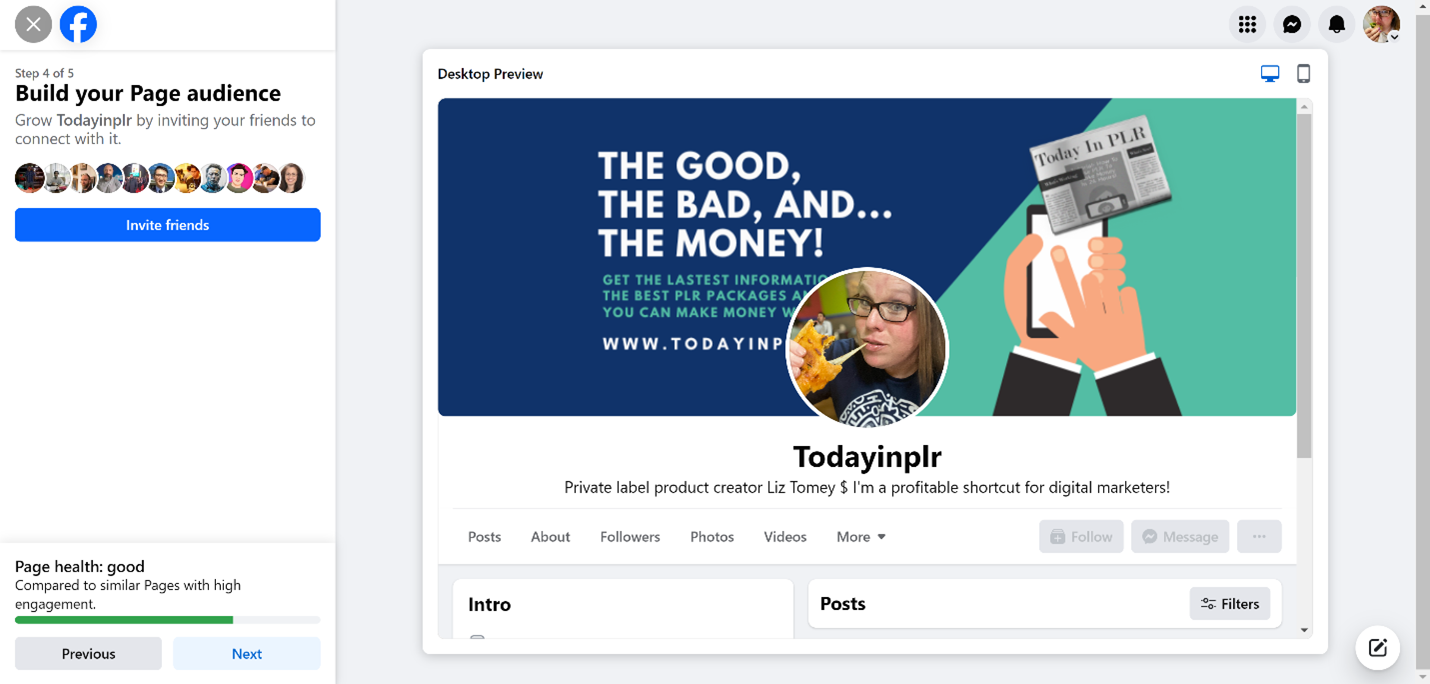
Hold off on this and click Next!
On the next page will be two options. I recommend that you leave the “Page notifications on your profile” ticked. That just tells you if you have a notification on your page (Like, follower, new message, new comment, etc.) while you’re on your profile.
The other one is to get emails from Meta (Facebook) about marketing your page and they’ll send you promotional emails too. They want your money. 😉 Decide on your own what you want to do there.
Now click Done!
Your new page is ready and they’re going to offer you a tour of your page. Take the tour and pay attention.
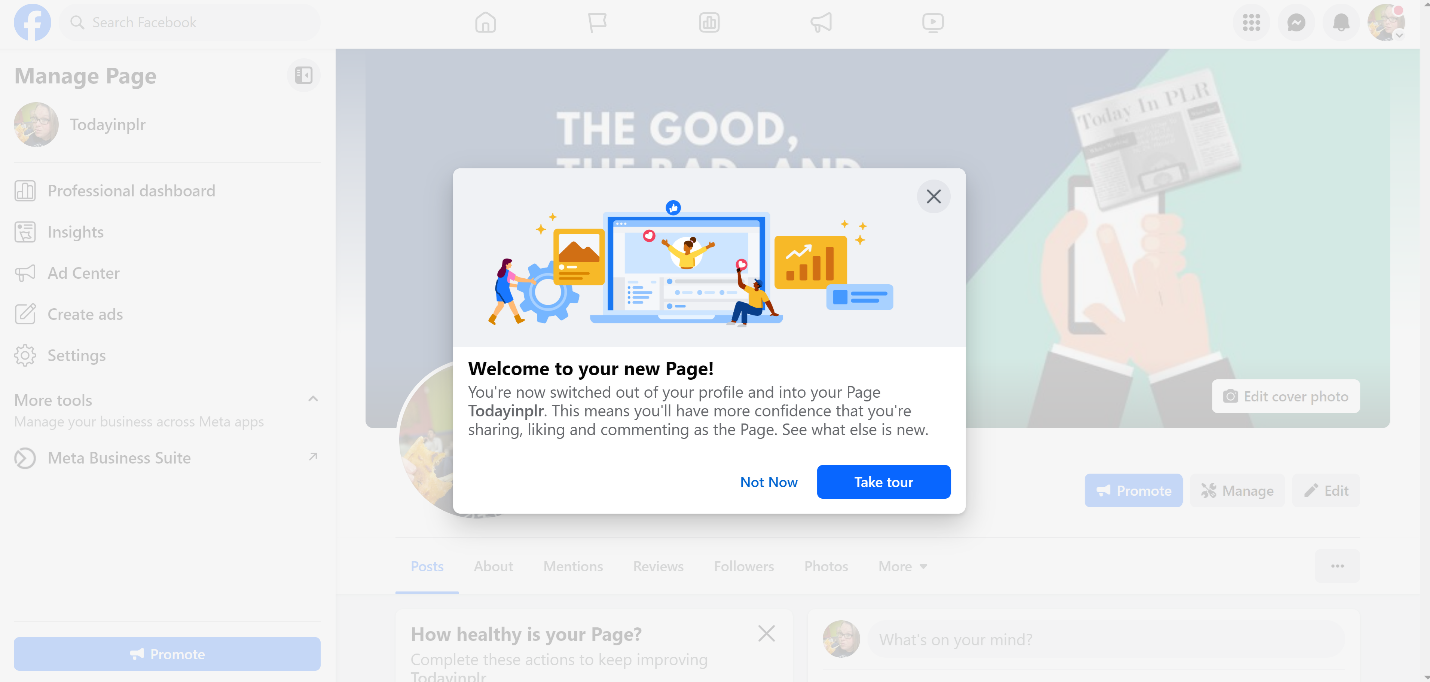
Now you’re not done yet. There’s still a bit to do before I unleash you on the world of Facebook. 😉
Next, you need to head to this URL – https://www.facebook.com/settings/?tab=profile
This will take you to all of your settings. You need to go through each of these and set the settings you want, but the first one is the most important for right now.
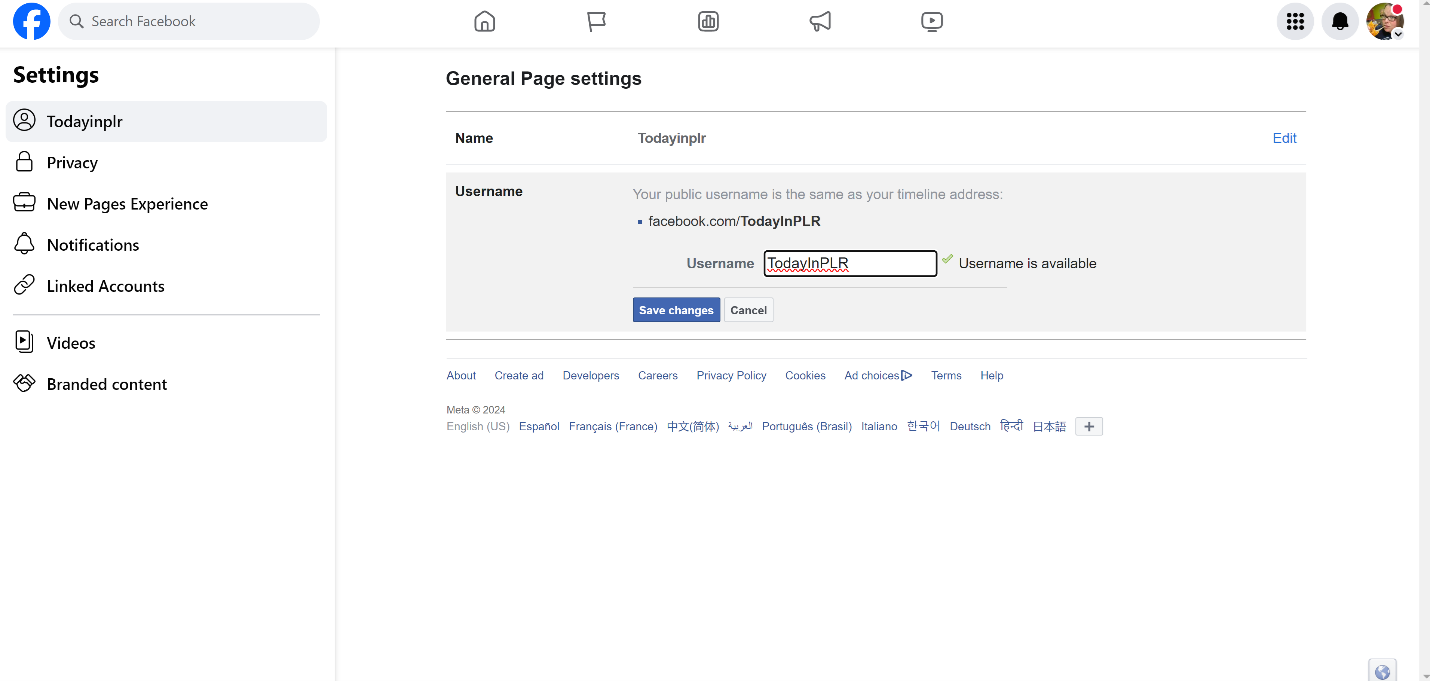
You need to set a username for your page. If you can use your name, I recommend that you do that. I’m using my brand name and when I click save changes I don’t have that ugly profile name with all the numbers. I now have a nice URL with my page name in it.
Like this… https://www.facebook.com/TodayInPLR
Now continue going through all of your settings and get yourself familiar with everything.
Don’t be afraid to click on things. You need to thoroughly go through this. For example on the Page and Tagging page. I always use these settings…
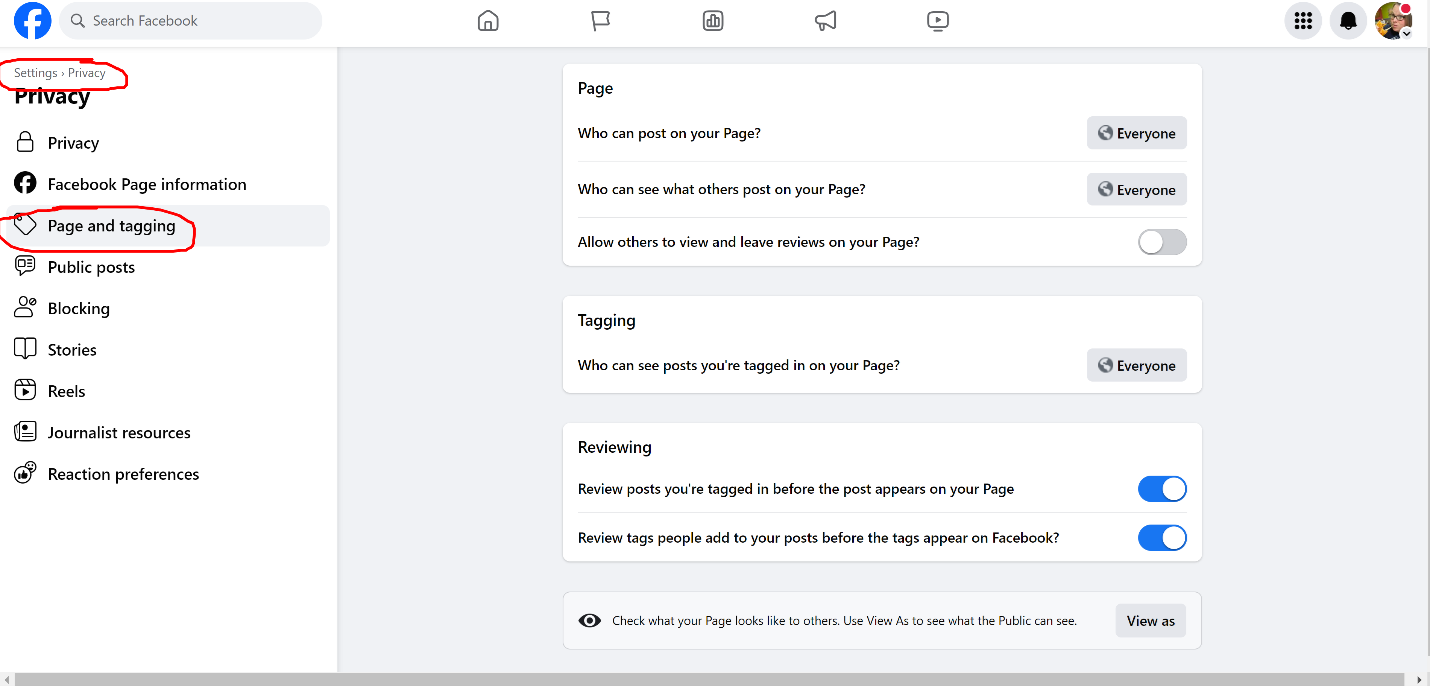
There are several of these pages with all kinds of settings but for me, this is the only one I really make any changes on.
So take 20-30 minutes now and go through each tab and all the pages for each tab at https://www.facebook.com/settings/?tab=profile
Now if you have another Facebook account or can get someone else to pull up your page so you can see it (family member, friend, etc. who is with you right now) I recommend that you do that now. Both from a desktop/laptop and a mobile phone.
If everything looks okay, then you’re ready to go!
I recommend that you create your first post and make it a post that explains what your page is about and/or where people can get on your list and/or buy from you.
I created my first post about the mission of my page and where they could get on my email list to get updates from me. Anyone who comes to my page will see this post and be able to get on my email list and start getting all of my emails. That’s the number one goal of my page. I want all of that traffic to come get on my email list. Decide what your number one goal is and get people to take action on YOUR number one goal for YOUR page.
My biggest pieces of advice here are to fill out EVERYTHING, use great-looking graphics, and make sure you have ONE goal for your page.
Now you’re ready to take off, start creating content, follow others in your niche, and get your own followers!
I wish you much success on your Facebook marketing journey! Go get that traffic…
